
How do I give customers an instant price when they upload an STL to my site?
Add the AutoQuote3D Widget to your site. A customer uploads an STL, chooses a Material and other Part settings, and the Widget shows a Part price from your pricing rules. The customer can check out from that same Widget, and a paid Order is saved for your Business.
What does the embeddable Widget look like?
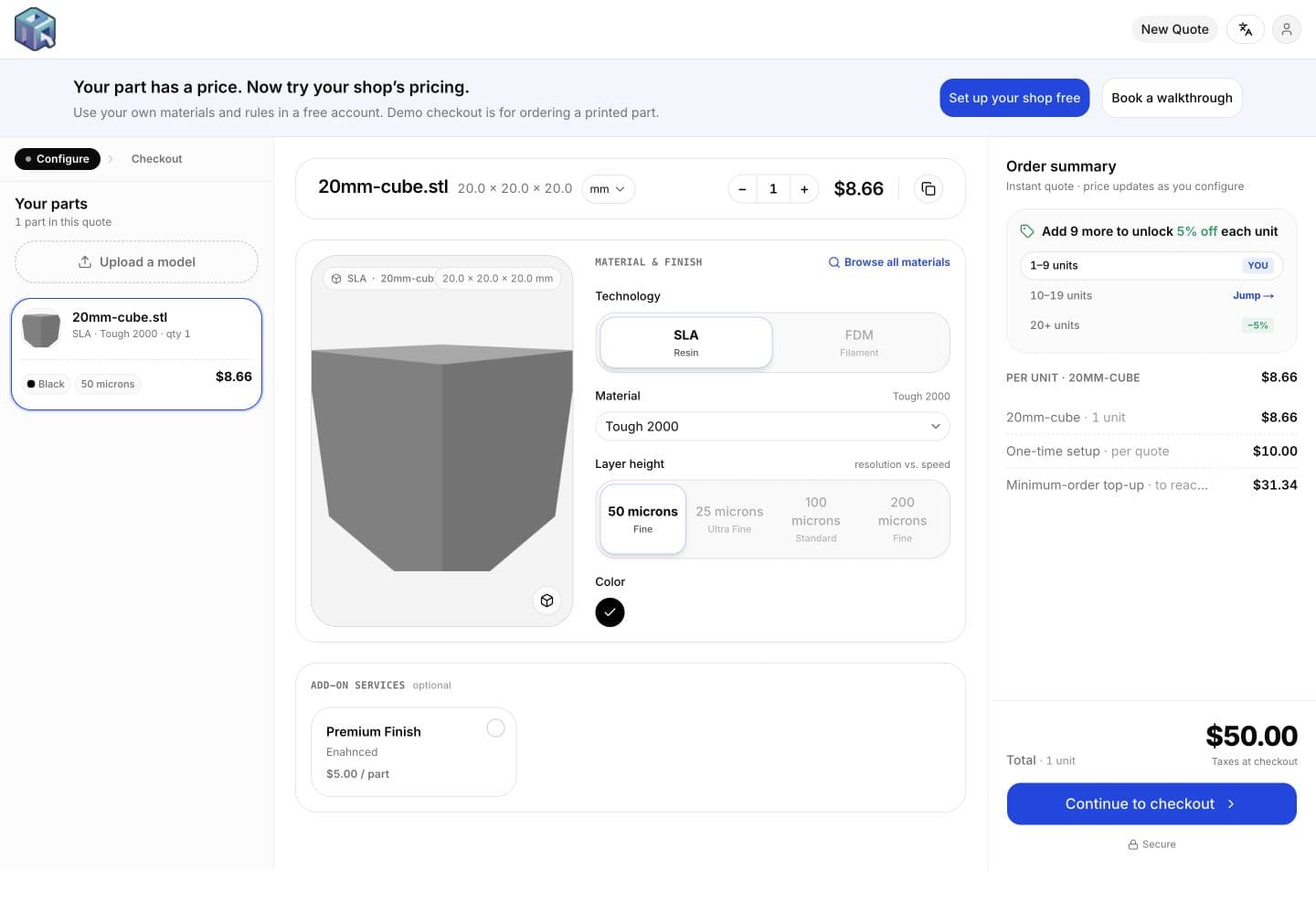
Try the live demo
The iframe below is the same kind of embed a Business copies from the dashboard. This one loads the public demo Widget, where a customer starts by uploading an STL. Demo prices illustrate the flow. Your Business uses your own pricing rules, and this demo does not create a real Order.
<iframe src="https://app.autoquote3d.com/widget/bqz4e28kqlkqll3g19t1o9x1" title="Get a 3D printing quote" width="100%" height="700" style="border: 0;"></iframe>Demo only. Your dashboard provides the same iframe with your Business id.
01
How do I add the Widget to my site?
Create a Business, add a Material, and quote a sample Part so you can compare the price with your costs. In the dashboard, open Widget and copy a hosted quote link, a website link, or the iframe embed. The embed loads your Widget from its address under /widget/ and your Business id.
Paste the iframe into a custom HTML block on Shopify, WordPress, Webflow, or another site that accepts custom HTML. Share the hosted link when you do not have a website yet. You can configure the Business and try a quote before you subscribe. A current plan is required before customers can pay.
02
How does a customer upload an STL?
The customer opens the Widget and sees Get a Quote. They drop in an STL or browse for one. STL, OBJ, STEP (.step and .stp), and 3MF files are accepted, up to 150 MB each.
Email is optional. Starting the quote creates a Quote and opens the Part page. The customer does not need an AutoQuote3D account.
03
How does the customer choose a material and Part settings?
On the Part page the customer selects a Material, which fixes the printing technology. They set quantity, units, color, and layer height. Technologies that use infill, such as FDM, also ask for infill.
The customer can turn the Part in quarter turns about the X, Y, and Z axes when that technology uses Part orientation. Powder-bed Parts (SLS, MJF, and DMLS) have no Part orientation. Add-on services appear when the Business offers them. A Quote can hold more than one Part.
04
How does the customer get an instant price?
AutoQuote3D prices the model on the server after the customer submits Part settings. The Widget displays the Part price and does not let the browser write that price into the Quote. Changing the Material, quantity, layer height, infill, or Part orientation asks the server for a new Part price.
While that runs, the Widget shows Upload, Analyze, and Price. If a Part cannot be priced automatically, the Widget shows a request for quote instead of a number.
05
How does the customer check out?
When every Part has a price, the customer chooses Continue to checkout. Checkout shows the Quote total and fulfillment choices when the Business offers them. Checkout opens the payment provider hosted checkout. Inside an iframe, that checkout opens in a new tab.
AutoQuote3D records that moment as Checkout started. After the customer pays, AutoQuote3D records a paid Order. On the Professional and Service Bureaus plans, an approved customer can pay by invoice on net terms instead of card checkout. Pay by invoice is not included on Starter.
Frequently asked questions
How much does AutoQuote3D cost?
AutoQuote3D has three plans: Starter at US$25 per month, Professional at US$50 per month, and Service Bureaus at US$175 per month. Business setup is free, a 14-day plan trial starts at subscription checkout, and AutoQuote3D charges no transaction fees. Stripe processing fees are separate.