
Product
Charge for machine time on powder beds, plus SLM and binder jet
Price SLS, MJF, DMLS, SLM, and binder jet jobs on machine time, and calibrate it from past builds. You can also add SLM and binder jet materials.
A 300 mm tall build ties up your printer for the same hours whether the bed is full or nearly empty. Powder quotes only charged for powder, so tall or bulky parts were quoted too low. Metal shops also had nowhere to put plate removal, stress relief, or a furnace run.
Machine time, per printer
Each powder printer (SLS, MJF, DMLS, SLM, binder jet) can have a machine-time profile:
- build rate in mm per hour, and laser scan rate for SLS, DMLS, and SLM
- how full a typical build is (bed fill)
- hourly rate, warm-up, and a fixed cost per build
- shrinkage for binder jet, so parts are fit at their printed size
A part pays for the share of a full build its bounding box fills, plus its own laser time. The dialog shows a live example ("A 50 mm cube: … of machine time, adding … per part") so you can sanity-check the numbers. There are presets for HP Jet Fusion 4200 and 5200, Formlabs Fuse 1+, Sinterit Lisa X, EOS M 290, Nikon SLM 280, HP Metal Jet S100, and ExOne X1 25Pro.
It's opt-in. A printer with no hourly rate or fixed cost prices exactly as before, so your current quotes don't change until you save a profile.
Calibrate from past builds
If you log your builds, hit Calibrate from past builds and enter a few (height, part volume, hours). It fits the build rate, warm-up, and laser time to them and tells you the average error. Review the numbers, then save.
How to set it up
- Open Pricing Configuration, then Materials, then the Printers tab.
- On your powder printer's card, hit Set up next to Machine time.
- Pick a preset or enter your own values, check the example, and hit Save machine time.
SLM and binder jet
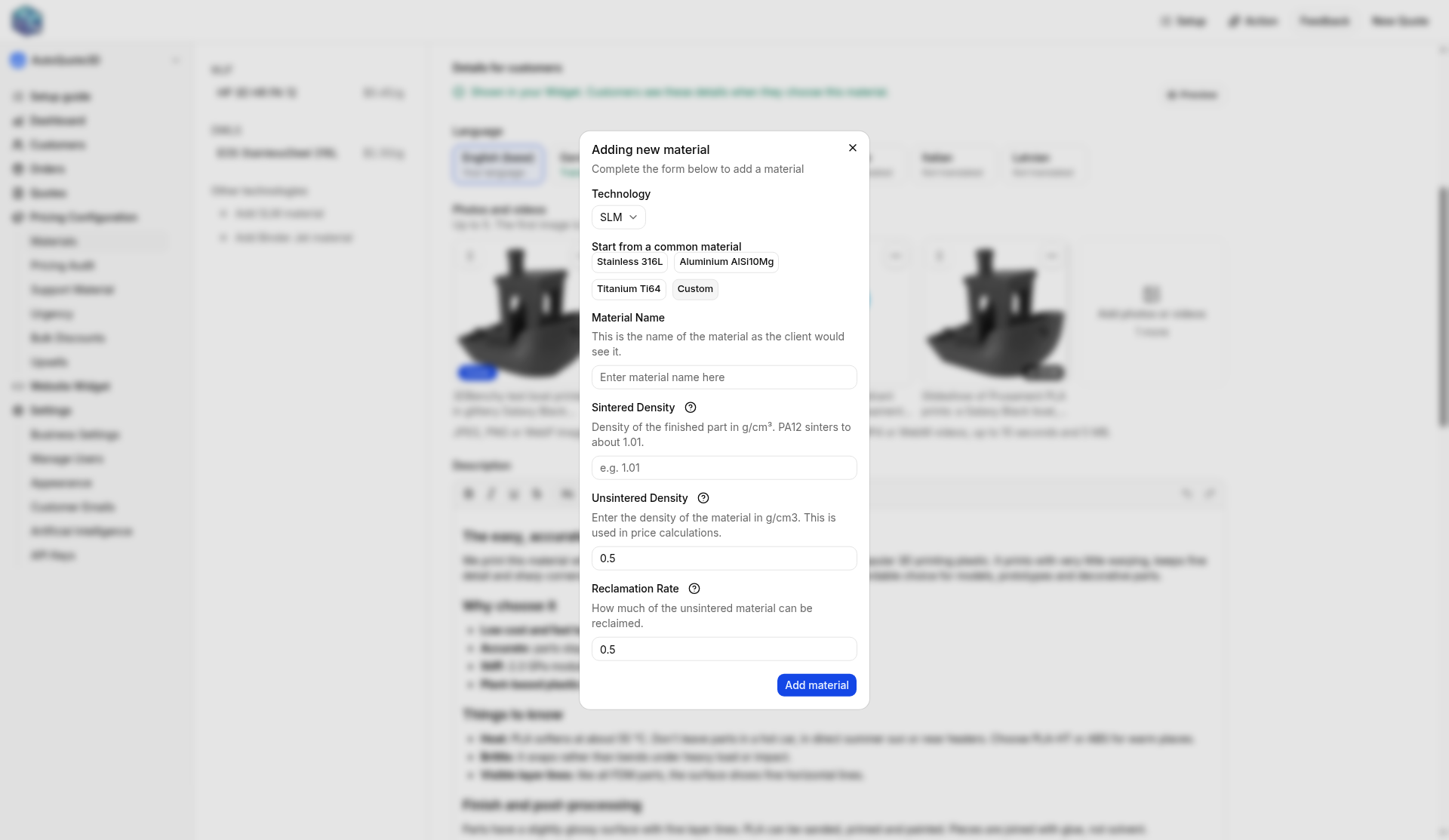
If you run SLM or binder jet, you can quote those materials now. In the Materials list, open Other technologies and hit Add SLM material or Add Binder Jet material. The same buttons are on the Printers tab.
Or ask Claude or ChatGPT
Set up machine time on our MJF printer: 15 mm per hour build rate, 20% bed fill, $40 an hour, and $25 per build.
Add an SLM material called 316L stainless.
Calibration is in the dashboard only for now.
Open your shop to set up a printer. If you want a hand, write support.