
Product
Your customer emails, in your words
Rewrite the quote and order emails your customers get, from a preset or in HTML. Preview them on a real order and send yourself a test.
One shop wanted their Ready for pickup email to link to their booking page, so customers could pick a time instead of calling. Another wanted their quote email to sound like them, not like us. Both are now a few minutes of work.
What you can change
- Every customer email: quote sent, order confirmed, your message, declined, canceled, refunded, and each order status (Paid, Printing, Printed, Shipped, Ready for pickup, Completed, and more). Or write one email for any status change.
- Start from the Standard, Minimal, or Friendly preset.
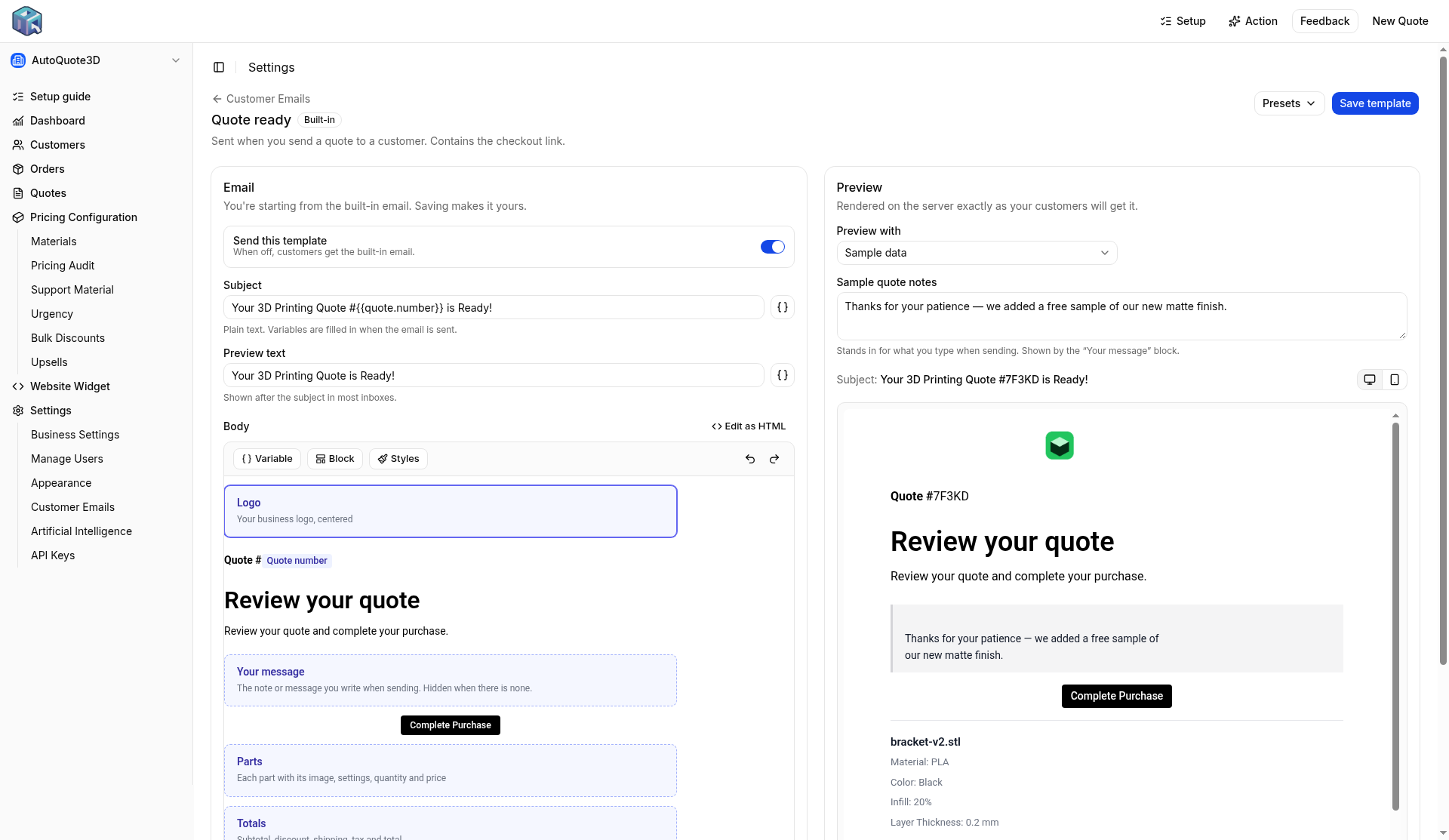
- Add variables like the customer's name, the checkout link, or tracking, and blocks like your logo, the parts, and totals.
- Preview on sample data or a real quote or order, at desktop and phone width.
- Send a test to yourself before you turn it on.
- Prefer code? Edit as HTML gives you HTML, CSS, and Liquid (Shopify's template language), with typo suggestions as you go.
If a template ever breaks, the built-in email goes out instead, so the customer still gets an email.
How to set it up
- Open Settings, then Customer Emails.
- Pick an email, start from a preset, and make your changes.
- Preview it on a real order, send yourself a test, and turn it on.
You need the Professional or Service Bureaus plan to save a custom email, send a test, or turn one on. Turning one off works on any plan.
Or ask Claude or ChatGPT
Add a link to https://yourshop.com/book to our Ready for pickup email, show me a preview, then send me a test.
Open your shop to start on your emails. If you want a hand, write support.