
Product
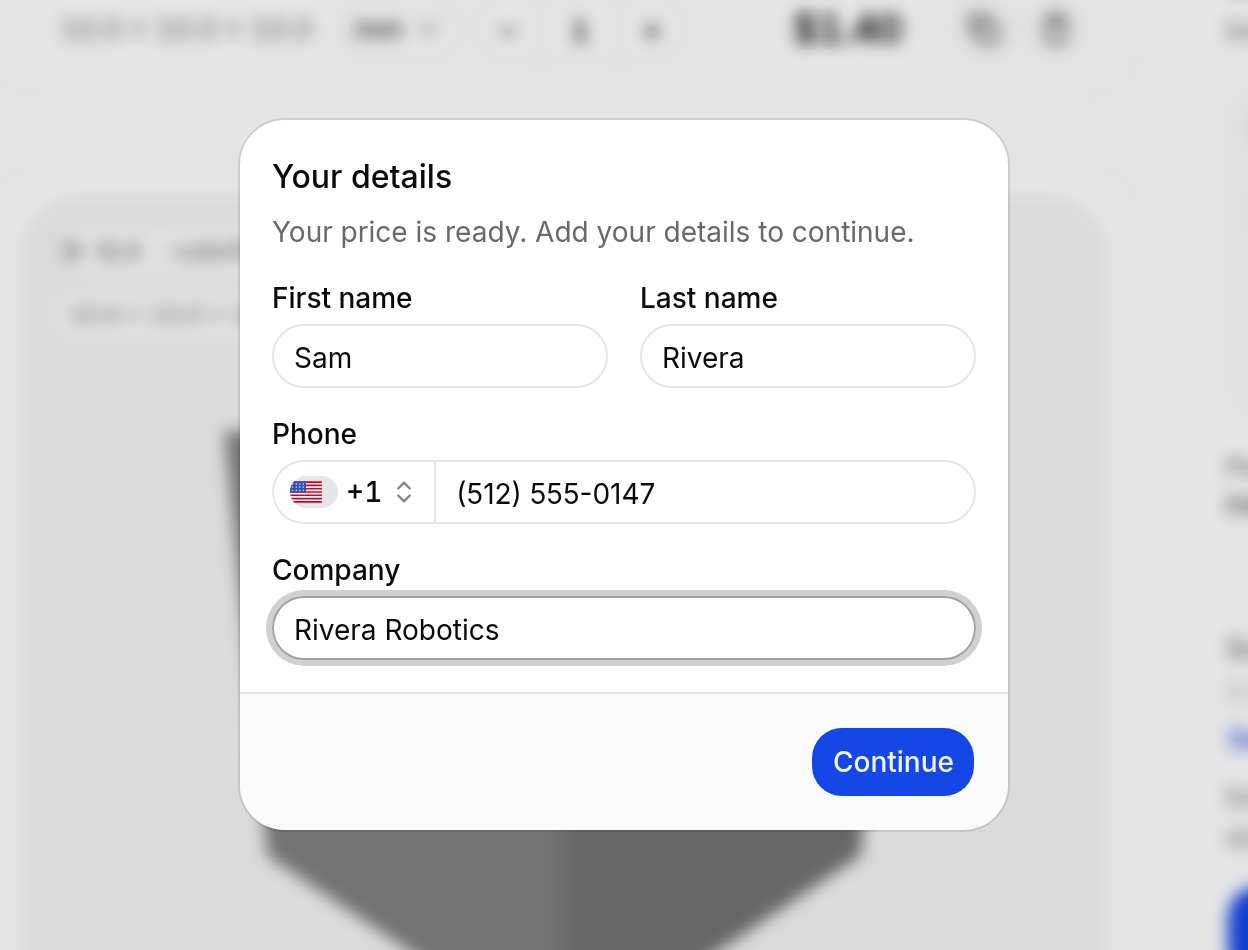
Ask buyers for their name, phone, and company
Your widget can ask buyers for their name, phone, and company, each Off, Optional, or Required. You see the answers on the customer, the quote, and the order.
A lot of quotes come in with just an email address. Then you're digging for a phone number when a part needs a call, or for the company name when it's time to invoice.
What changed
- Your widget can now ask buyers for First name, Last name, Phone, and Company. Set each one to Off, Optional, or Required. Email is always required.
- Buyers fill them in once while their first price calculates. The phone field has a country picker.
- You see the answers on the customer, the quote, and the order.
This is on the Professional and Service Bureau plans.
A heads-up before you turn everything on: buyers fill this in before their price unlocks, and every field you make required is one more thing they have to answer. You'll usually get fewer quotes, but they tend to be better leads. If you're not sure, Optional is a good middle ground, since buyers can leave those blank.
How to turn it on
- Open Settings, then Business Settings, and stay on the General tab.
- Find Buyer Details.
- Pick Optional or Required for each field you want.
- Hit Update Settings. Changes take effect right away.
Buyers who already filled in their details are only asked again for a field you make required.
Or ask Claude or ChatGPT
Ask buyers for their first name, last name, and phone, all required, and make company optional.
This works through the Claude connector or the ChatGPT app. Connect it once from Settings, then Artificial Intelligence.
Also
Teammates on the Member role can't see, create, or delete API keys anymore. Owners and admins still can.
Open your shop to turn on Buyer Details. If you want a hand, contact support.